Separate the input path from the stored sample
Circuit Rhythm has two audio inputs, but Novation states that every stored sample is mono. During recording, the input signals are summed to mono. Outside recording, the incoming audio can pass through Grid FX and the Master Filter in stereo. Hearing width from a connected instrument therefore does not demonstrate that the recorded sample retains two channels. If the left/right arrangement is essential to your loop, this distinction should shape your buying decision before you compare offers.
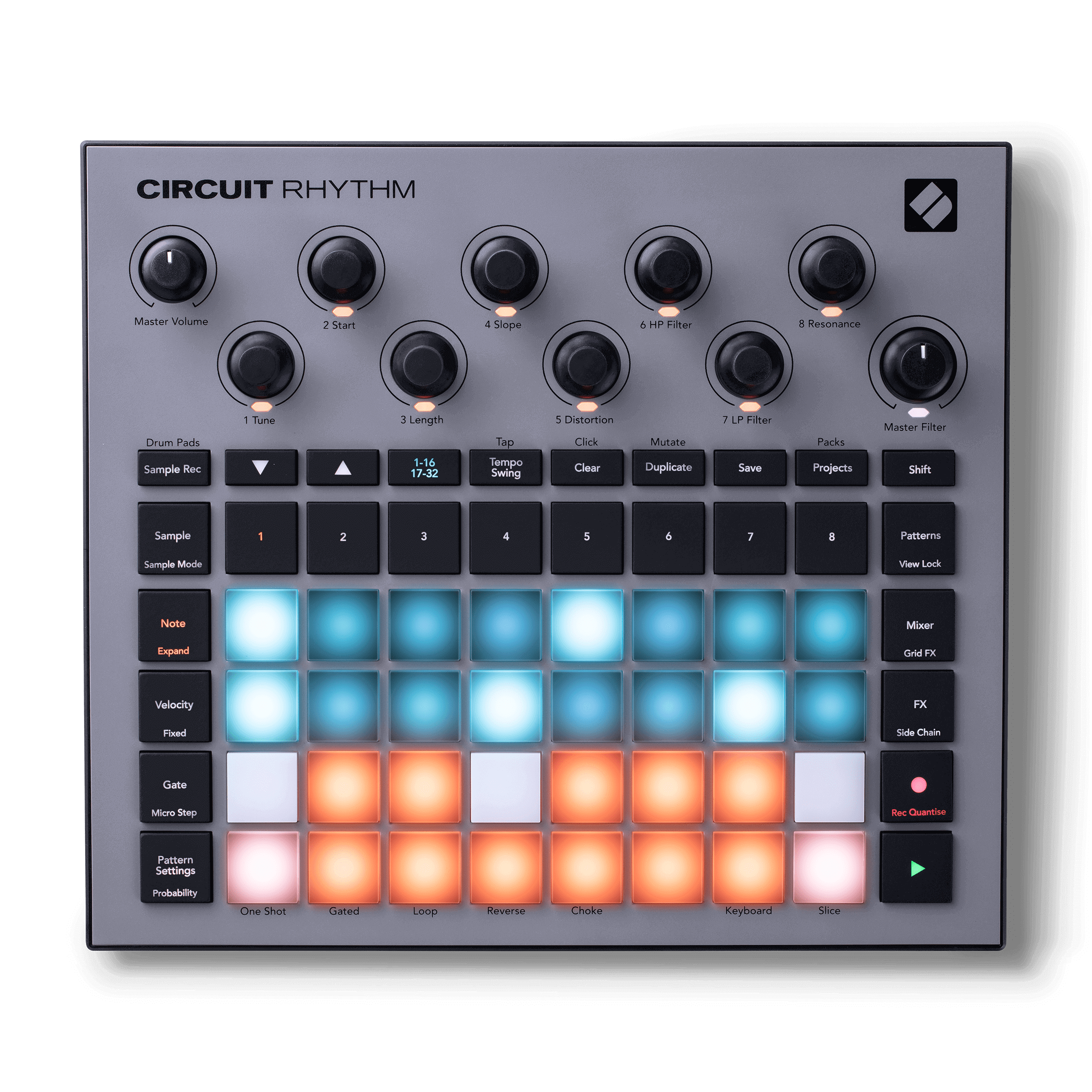
Novation
Novation Circuit Rhythm
View product →
Related productsupport.novationmusic.comsupport.novationmusic.com — 8370508081810-Are-Circuit-Rhythm-s-audio-input-mono-or-stereo/hc/en-gb/articles/8370508081810-Are-Circuit-Rhythm-s-audio-input-mono-or-stereoOpen source in a new tabImporting a stereo file does not bypass conversion
Novation Components accepts audio in different formats and converts it to 48 kHz, mono, 16-bit audio for Circuit Rhythm. Preparing a stereo file on a computer does not preserve its stereo channels inside the stored sample. Keep your original file separately and audition the converted result before committing a whole pack. This is a workflow check, not a claim that every source will sound worse: judge whether the converted version still serves the part you want to perform.
Related productsupport.novationmusic.comsupport.novationmusic.com — 360021702959-Circuit-Rhythm-Components-Guide/hc/en-gb/articles/360021702959-Circuit-Rhythm-Components-GuideOpen source in a new tabCheck the recording rather than only the monitor signal
For a short test, select an empty slot in Sample Rec View and record from the external inputs. The manual gives a maximum of 32 seconds per sample slot; available storage can shorten that. After recording, turn off input monitoring so the incoming instrument does not mask what you are auditioning. Listen to the captured sample itself. Wait for its green save indicator to stop flashing before switching off or removing the card. This proposed check has not been performed on the seller’s unit.
Related productuserguides.novationmusic.comuserguides.novationmusic.com — 25494368059282-Recording-samples-with-the-Circuit-Rhythm-sample-rec-view/hc/en-gb/articles/25494368059282-Recording-samples-with-the-Circuit-Rhythm-sample-rec-viewOpen source in a new tabBack up a used unit before replacing its content
Components can retrieve a Pack from the device and save it to a computer. Preserve the existing content before loading your own material, and keep an untouched copy of your source audio. Confirm that the listing and the unit are Circuit Rhythm; do not substitute a Circuit Tracks guide. Ask the seller to demonstrate the inputs and sample playback, then review the actual listing’s condition and included accessories. A documented feature is not evidence that a particular used unit works correctly.
Related productsupport.novationmusic.comsupport.novationmusic.com — 360021702959-Circuit-Rhythm-Components-Guide/hc/en-gb/articles/360021702959-Circuit-Rhythm-Components-GuideOpen source in a new tab