Buying a used OP-1? Check the model and firmware first
Original OP-1 or OP-1 Field? Check the firmware, USB features and tape workflow before comparing listings, using dated manufacturer documentation.
By EURA Editorial · · Updated
An older review may describe an older instrument
A used listing's model name and installed software both matter. Teenage Engineering's OP-1 Field release notes date the addition of tape undo to OS 1.7.0 on April 29, 2026. The manufacturer's announcement describes seven undo stages. If an older review says the Field has no undo, that statement needs a firmware qualification. These release notes concern the Field: they are not evidence that the original OP-1 received the same feature.
teenage.engineeringdownloads OP–1 field/downloads/op-1/fieldOpen source in a new tab teenage.engineeringnow/nowOpen source in a new tab
The original OP-1 already has USB audio
USB audio is not a Field-only reason to upgrade. The original OP-1's official update history records its introduction in OS #243 on July 14, 2021, and the original product page describes direct audio streaming over USB. For a second-hand unit, ask the seller which firmware is installed and to demonstrate the computer connection. A connector photo identifies the hardware; a working connection helps establish what that particular unit can do.
teenage.engineeringdownloads OP–1 original/downloads/op-1/originalOpen source in a new tab teenage.engineeringOP-1 original/products/op-1/originalOpen source in a new tab
Choose around the tape workflow you will use
The Field guide for firmware 1.7.0 documents four stereo tracks per tape, six minutes per track at normal speed, and storage for up to eight tapes. Those are useful details if you want to keep several ideas inside the instrument. The original product page also describes a four-track tape workflow, so 'four tracks' alone does not explain the difference. Our buying suggestion is to try recording, overdubbing and moving between projects before deciding which workflow suits you.
assets.teenage.engineeringassets.teenage.engineering — 69f248938d433104c4dd1846_original.pdf/_img/69f248938d433104c4dd1846_original.pdfOpen source in a new tabteenage.engineeringOP-1 original/products/op-1/originalOpen source in a new tabAsk for proof from the actual unit
Before comparing two offers, request a clear model and connector photo, the installed firmware version, and a short demonstration of the features you need. Use the manufacturer's separate original and Field download pages to check the software claim. These are suggested buying checks, not a condition assessment of any seller's instrument. A product specification cannot tell you whether a used unit's keys, encoders, battery or ports are working properly.
teenage.engineeringdownloads OP–1 field/downloads/op-1/fieldOpen source in a new tabteenage.engineeringdownloads OP–1 original/downloads/op-1/originalOpen source in a new tabCompare like with like on EURA
Start with the separate original OP-1 and OP-1 Field product pages below. Compare the same model, currency and condition, and check the seller's shipping charges and current total. If undo is central to your workflow, verify the Field's installed software before paying for that expectation. If your main requirement is transferring audio to a computer, do not assume the original is ruled out. Your shortlist should follow a demonstrated need rather than a feature copied from the wrong model.
teenage.engineeringdownloads OP–1 field/downloads/op-1/fieldOpen source in a new tabteenage.engineeringdownloads OP–1 original/downloads/op-1/originalOpen source in a new tab
Teenage Engineering
Teenage Engineering OP-1 Field
View product →

Teenage Engineering
Teenage Engineering OP-1
View product →
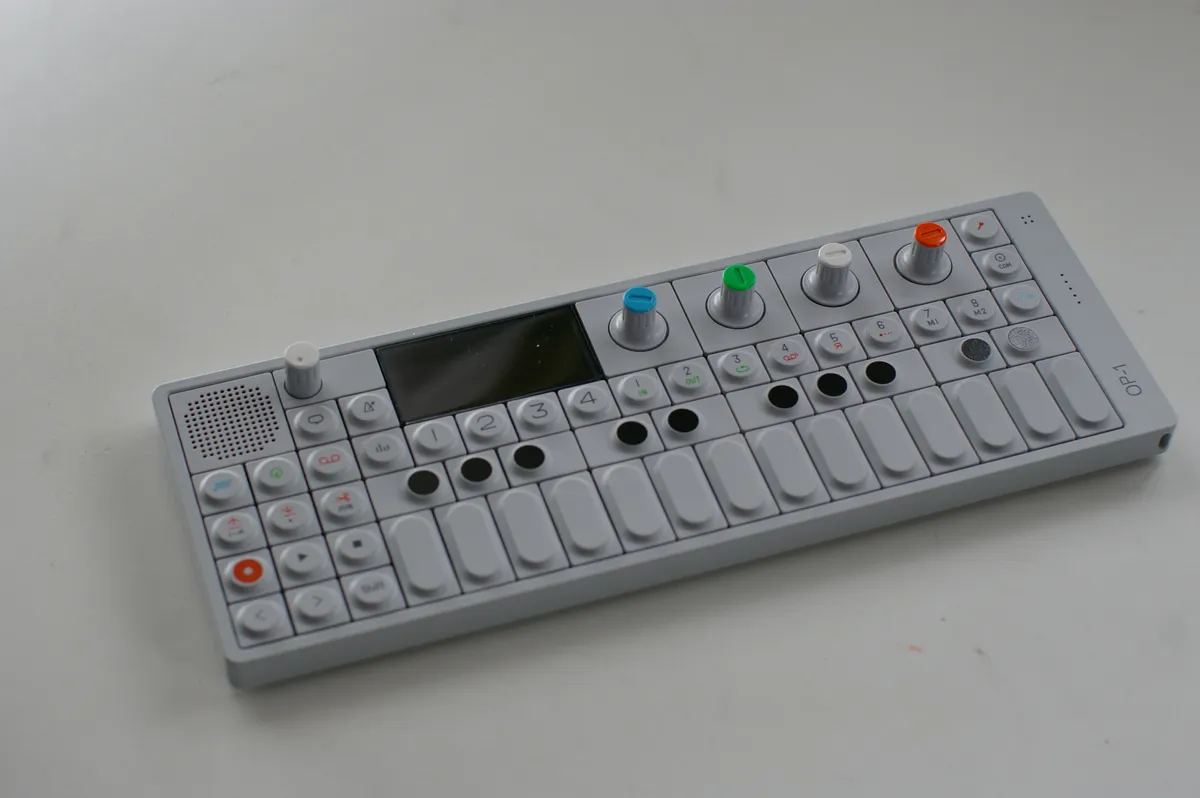
Original OP-1, photographed by Shuichi KODAMA (kdma), 21 June 2011. CC BY 2.0, via Wikimedia Commons. — CC BY. Resized and recompressed for the web; no AI generation. Source · License